Connected Accounts
The Connected Accounts service allows you to pair accounts of various social networks with blockchain accounts. Thus, the user can create his own network of accounts, which can be represented as a graph.
Types of links that can be created at the moment:
- NEAR Testnet + Twitter
- NEAR Testnet + GitHub
- NEAR Testnet + Ethereum (using MetaMask signature)
- NEAR Mainnet + Twitter
- NEAR Mainnet + GitHub
- NEAR Mainnet + Ethereum (using MetaMask signature)
- Twitter + GitHub
Right now you can use the service in our Mutable Web extension on Profile page.
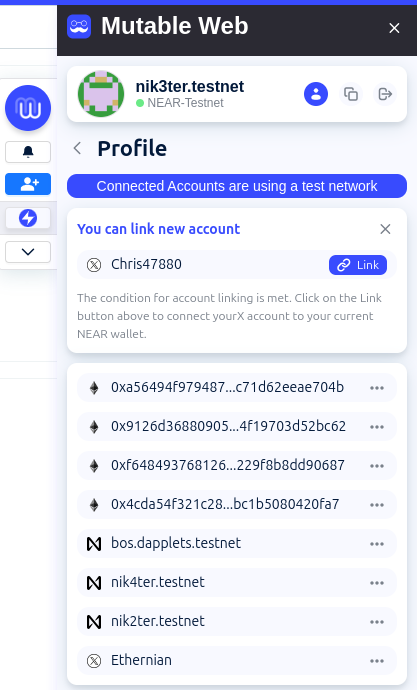
Creating a new connection
To connect the X (Twitter) account to your NEAR account add its address to the profile name.
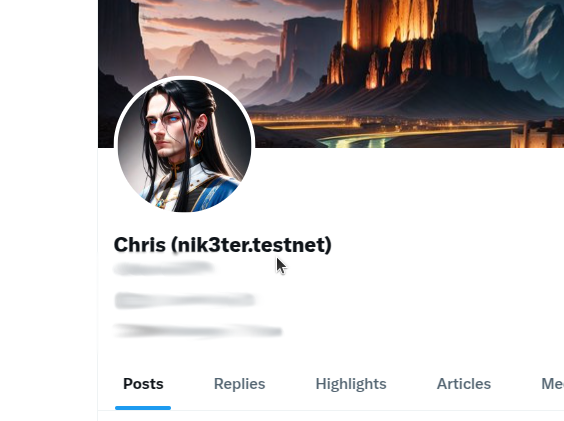
Our oracle will open your X profile and check this condition to make sure that the NEAR account and the X account belong to the same person.
Then open the extension profile page. Connect your NEAR wallet if you haven't done so before.
On the page you will see the connection module. Click on the Link button.
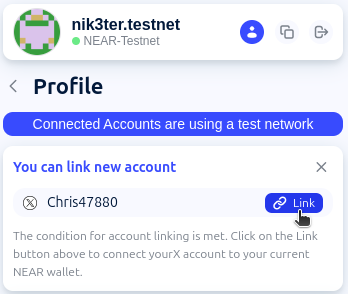
Approve the transaction in the NEAR wallet.
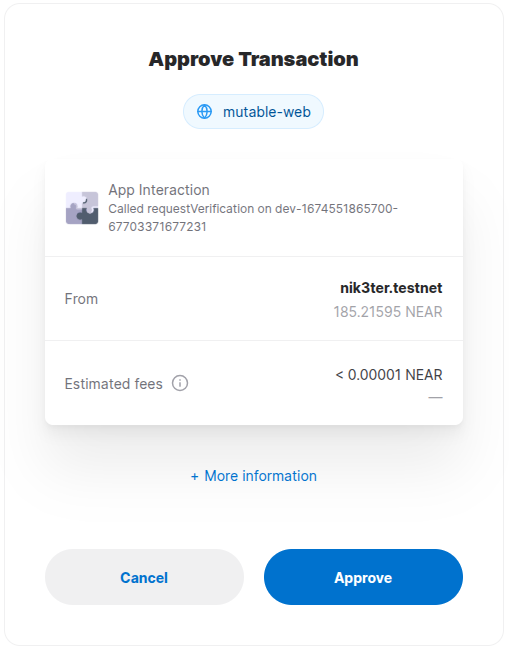
Then you should wait up to 1.5 minutes for the oracle to verify your X account.
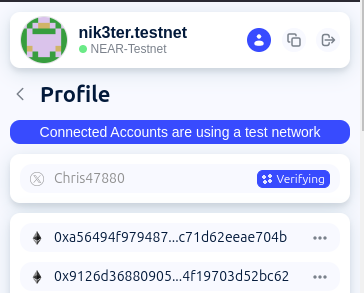
If the condition is met, the operation will complete successfully.
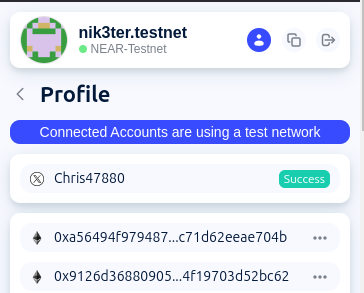
After 5 seconds you will see your X account in the Connected Accounts list.
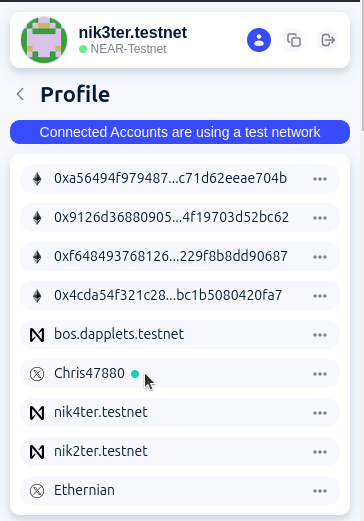
Removing a connection
To disconnect the X (Twitter) account from your NEAR account add its address to the profile name.
Then open the extension profile page. Connect your NEAR wallet if you haven't done so before.
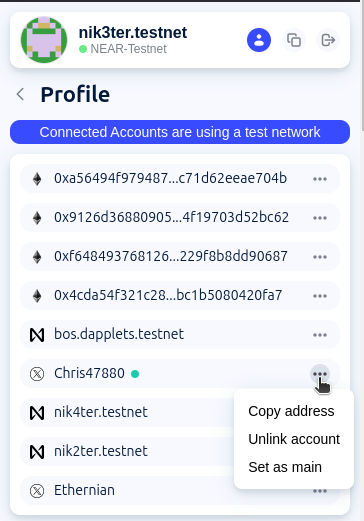
Find the account you want to unlink in the list. Select Unlink account from the list of actions.
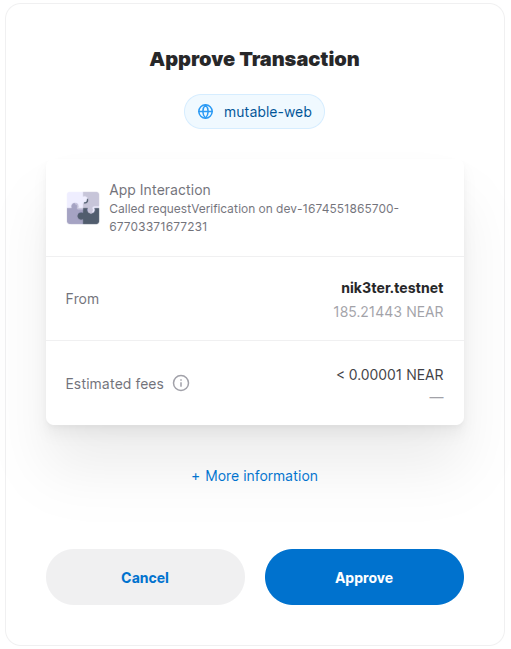
Approve the transaction in the NEAR wallet.
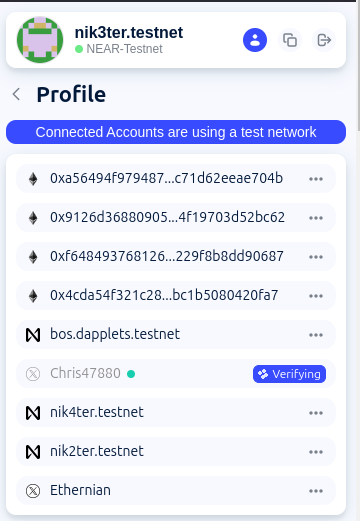
Then you should wait up to 1.5 minutes for the oracle to verify your X account.
If the condition is met, the operation will complete successfully.
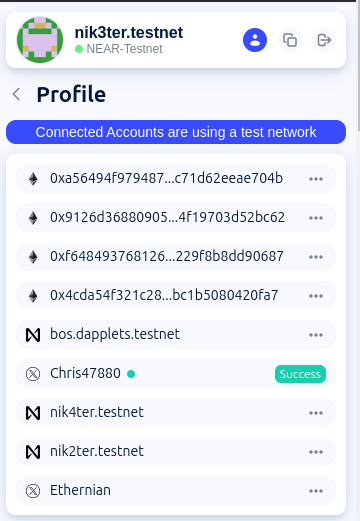
After 5 seconds, your X account will disappear from the list of Connected Accounts and a module will appear to reconnect it.